
Different rules govern different channels
Websites, mobile apps, documents, facilities, communications and employment practices may be covered by different sources.
Track the selected federal, state and local accessibility requirements affecting websites, mobile apps, facilities, communications, employment and customer service. Rixena organizes changes, source links, dates and review actions for the teams responsible.
Requirements can affect digital content, buildings, communications, employment practices, procurement and customer service across multiple federal and state authorities.
Websites, mobile apps, documents, facilities, communications and employment practices may be covered by different sources.
Public entities, federal agencies, contractors, employers and businesses open to the public may face different obligations.
Digital, facilities, HR, procurement, legal and customer-service teams often manage separate parts of accessibility compliance.
Teams need the source, affected service, effective date and responsible owner—not only a generic accessibility alert.
Select the federal, state and local sources relevant to your organization, facilities, workforce and customer channels. Available coverage depends on the selected monitors and sources.
Selected digital-accessibility rules, standards and guidance affecting public websites, applications, electronic documents and online services.
Selected accessibility standards and requirements affecting sites, buildings, alterations, public accommodations and government facilities.
Requirements and guidance addressing auxiliary aids, accessible formats, communication access and interactions with people with disabilities.
Selected sources affecting recruitment, application processes, reasonable accommodation and equal access to employment benefits.
Requirements affecting goods, services, programs, transportation touchpoints and other customer-facing or public-facing activities.
Selected ADA, Rehabilitation Act, procurement and jurisdiction-specific sources relevant to your organization’s operating model.
Monitor availability and applicability vary by source, jurisdiction and organization. Your team chooses the watchlist it wants Rixena to follow.
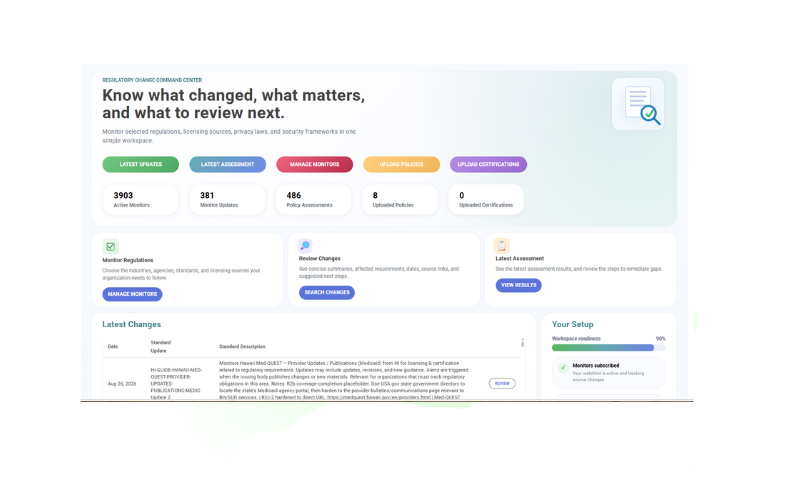
Select your monitors, receive organized change intelligence and optionally connect policies for gap assessment.
Choose the regulatory, compliance, licensing, standards and guidance sources and jurisdictions relevant to your organization.
See what changed, important dates, affected requirements, source links and suggested review areas.
Upload and assign policies or procedures to the selected monitors they support. Policy uploads are optional.
Review potential policy gaps, ownership, next steps, review activity and supporting evidence.
Rixena follows the rule, bulletin, manual, guidance or licensing source your team selects.
The update is captured, summarized and organized so reviewers can focus on what changed.
Your team receives a focused review package instead of another unstructured alert.
Rixena can support organizations with different websites, facilities, public programs, employment practices and customer-service models—without treating every operation as identical.
Create your free monitoring accountBring selected digital, facility, employment and communications sources into one monitoring process.
Direct changes to the teams responsible for digital products, facilities, HR, procurement or customer service.
Connect selected requirements with accessibility plans, standards, procedures and accommodation workflows.
Keep source updates, assessments, remediation activity and supporting evidence organized.
Start with selected regulatory and standards monitoring, then connect policies and procedures when useful.
Request a DemoOrganizations can select relevant federal, state and local sources covering digital accessibility, facilities, communications, employment, procurement and customer service. Available coverage depends on the selected monitors and sources.
Selected ADA and Section 508 sources may be included in a watchlist where relevant. Your organization determines which titles, sections, standards and jurisdictions apply.
Yes. Review activity can be organized by topic, location, service, policy owner or business function so digital, facilities, HR and customer-service teams can focus on relevant changes.
Yes. Policy uploads are optional. You can use Rixena for monitoring and change review without uploading documents.
No. Rixena provides regulatory intelligence and workflow support. It does not test or certify conformance, determine legal applicability or provide legal advice.
Create a free Rixena account and begin building the accessibility watchlist your organization needs.